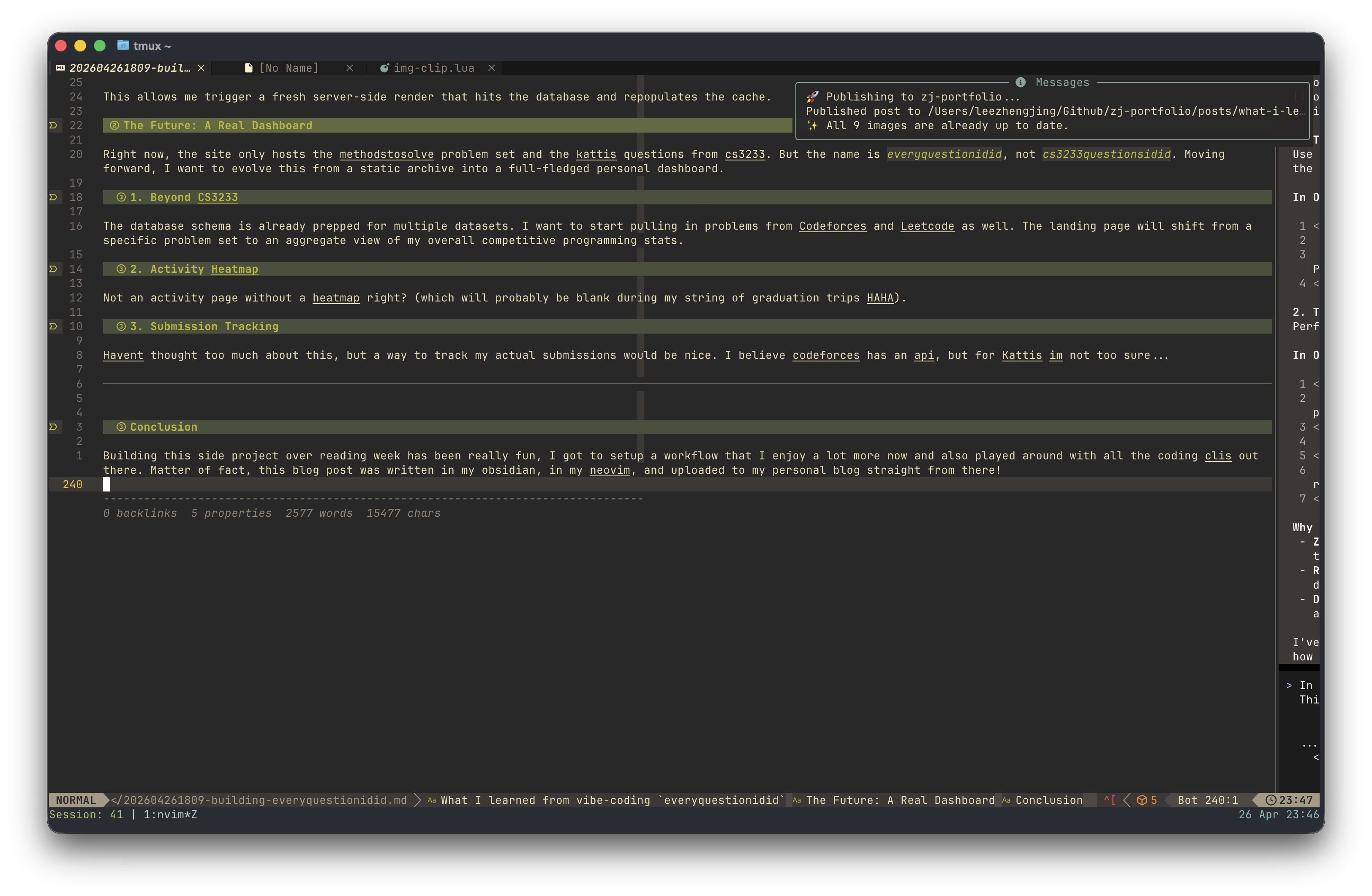
Over the second half of reading week, I built everyquestionidid.
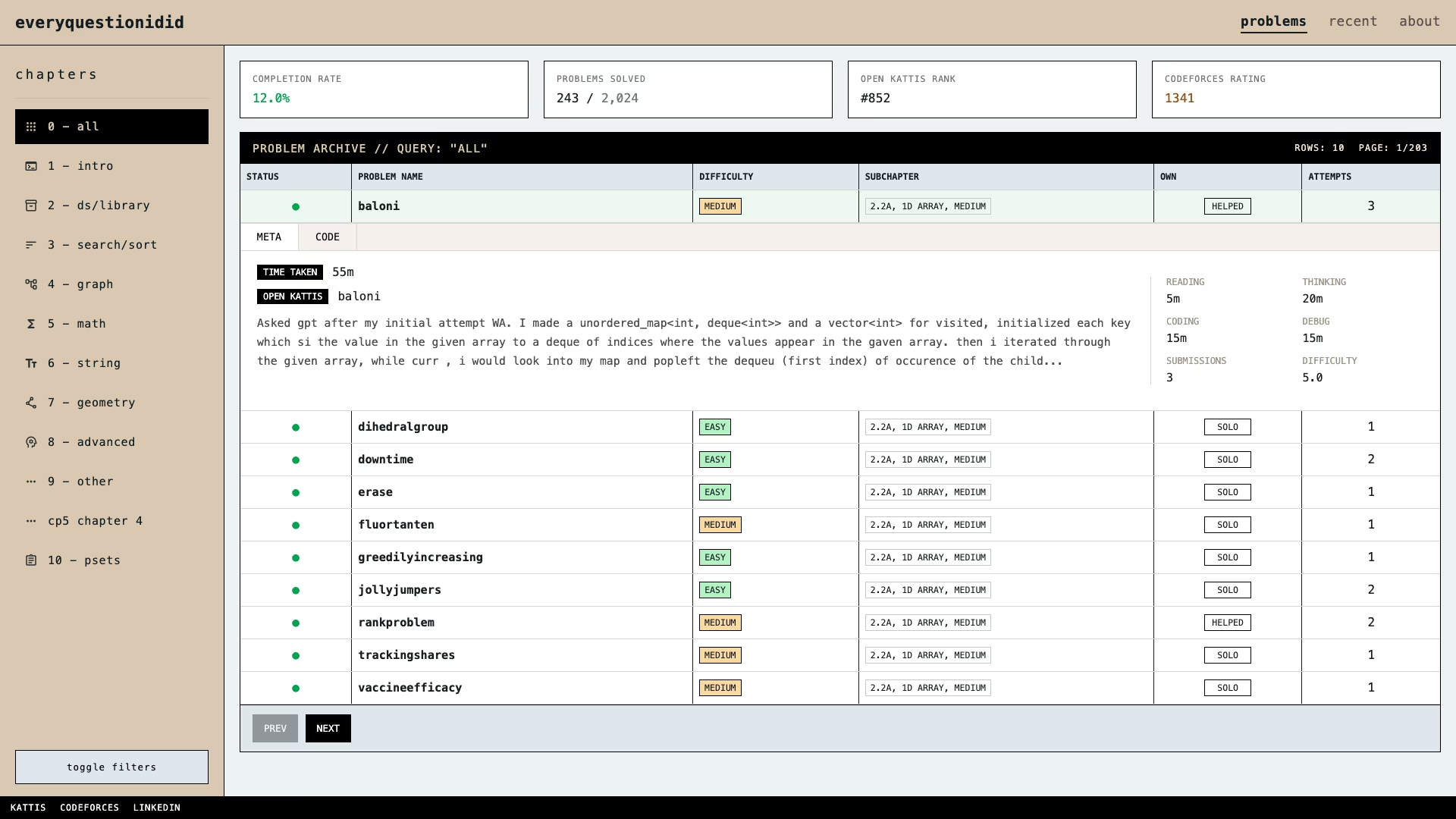
I had a lot of free time, being in my final semseter and only having one finals to study for. After playing around for the first half of the week, I found myself with still, too much time until my finals. So I decided, that I would finally do some vibe-coding.
The last time I was actually working on a project was like 4 months ago, and since then, I have pretty much spent my time doing competitive programming. In this time, the world has been riding the AI wave, and I was a mere spectator. Until a few days ago. Now, I have harnessed this power as well >:).
So with the decision to start vibe-coding, came the next obvious step. Spending time building up my neovim configuration to support this heavy endeavour. Before I even started thinking of something to build, I decided that a good use of my time would be more neovim configuration... hurray.
Powering up my Neovim with AI plugins
So I went at it, spent probably half a day googling and looking at extensions to install on my Neovim in order to get to vibecoding. These are the extensions I picked up!
1. sidekick.nvim
I went with sidekick.nvim for the neovim extension, and honestly its been super great. I don't remember the exact reddit post I stumbled across it in, but it was definitely reddit that brought me to this extension. The biggest thing for me is the built in AI CLI.
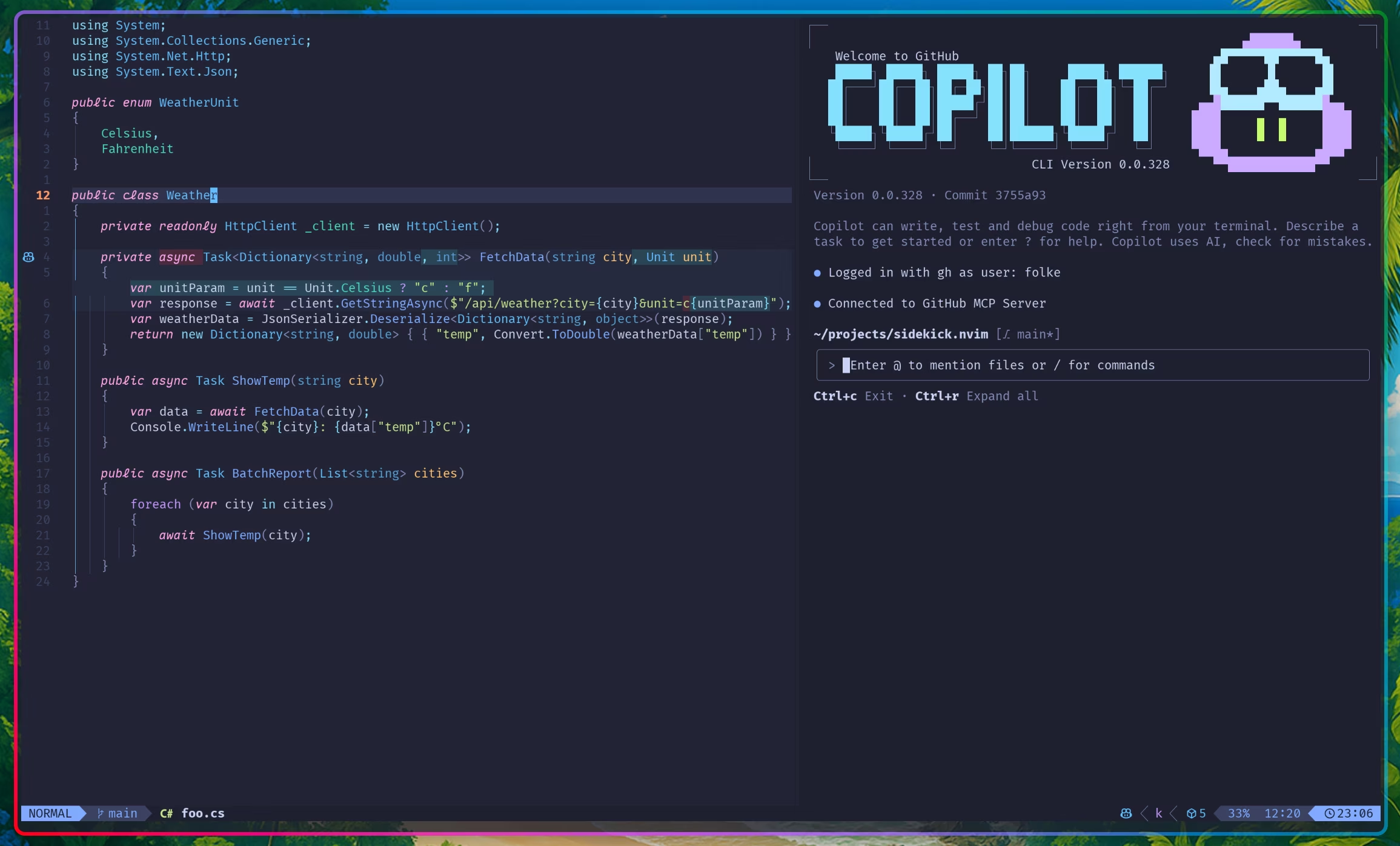
I set up OpenCode, Gemini CLI (free for being a NUS CS student), Github Copilot CLI (Github Student Package) and Codex (one month free trial). I really only ended up using Codex and Gemini CLI though. I'll definitely come back and leave a review of the rest once I've tested them out. OpenCode looked the best but it lacked some things out of the box that made me stick to Gemini CLI and Codex. More details in a later section.
2. tmux
Okay this one isn't an extension, but while it may be natural for many developers, I actually have never used tmux at all. So I went and watched a video or two, got up to speed, and had a realization halfway that wait if I got good at tmux, I probably didnt need the sidekick extension.
I could've just went with tmux and running the tui in different panels, but this really helped to keep things more organized (i mean, I just picked tmux up. The extent of my knowledge are like the three commands Ctrl + b + |, Ctrl + b + - and Ctrl + b + z).
But now with tmux setup, when I used sidekick with it, it worked wonders, it persisted even after i quit neovim since the sidekick cli also now used tmux. glory to tmux...
Aaand that's about all I did. To the next chapter!
Testing the waters
After setting things up, I realised, I probably should use some available tools first and incorporate things into my own workflow if it works on their native app.
So, I immediately shelved my setup, and went to get my hands on the OpenAI's shiny new Codex tool (mainly because my friend told me to, and hey it's free for the first month).
And hey, it was actually pretty fun. Set up was easy, and once you typed out your idea, read through a plan they gave, leave some comments, you can pretty much let it do its thing. "looks good to me codex, implement this!".
Ideation
The first thing I tried to build wasn't everythingidid. I actually tried to build a chrome extension. The idea was to have a chrome extension to display the editorial of the current codeforces question i was doing. While it existed in the same page of the question on the desktop version, and it was just one click to lead you there, i didnt like that i had to do more than 1 click to do this, and thought the wokrflow could be optimized if i had just a small window popup to show me the hint for the current question when im stuck, which is retrieved from the provided editorial.
Of course, it iterated pretty quickly, and got to something that actually looked not bad. But then after a bit of testing, I realised the app was going to be difficult to foolproof. Without a standardized format for the editoria lblog post, things broke quite quickly. So after spending a few more hours at it, I decided to build something else.
Keeping on the same track of cp related project, I thought to myself, hey, I have this google sheet that i was populating throughout the semester because of CS3233 - competitive programming. It looked like this:
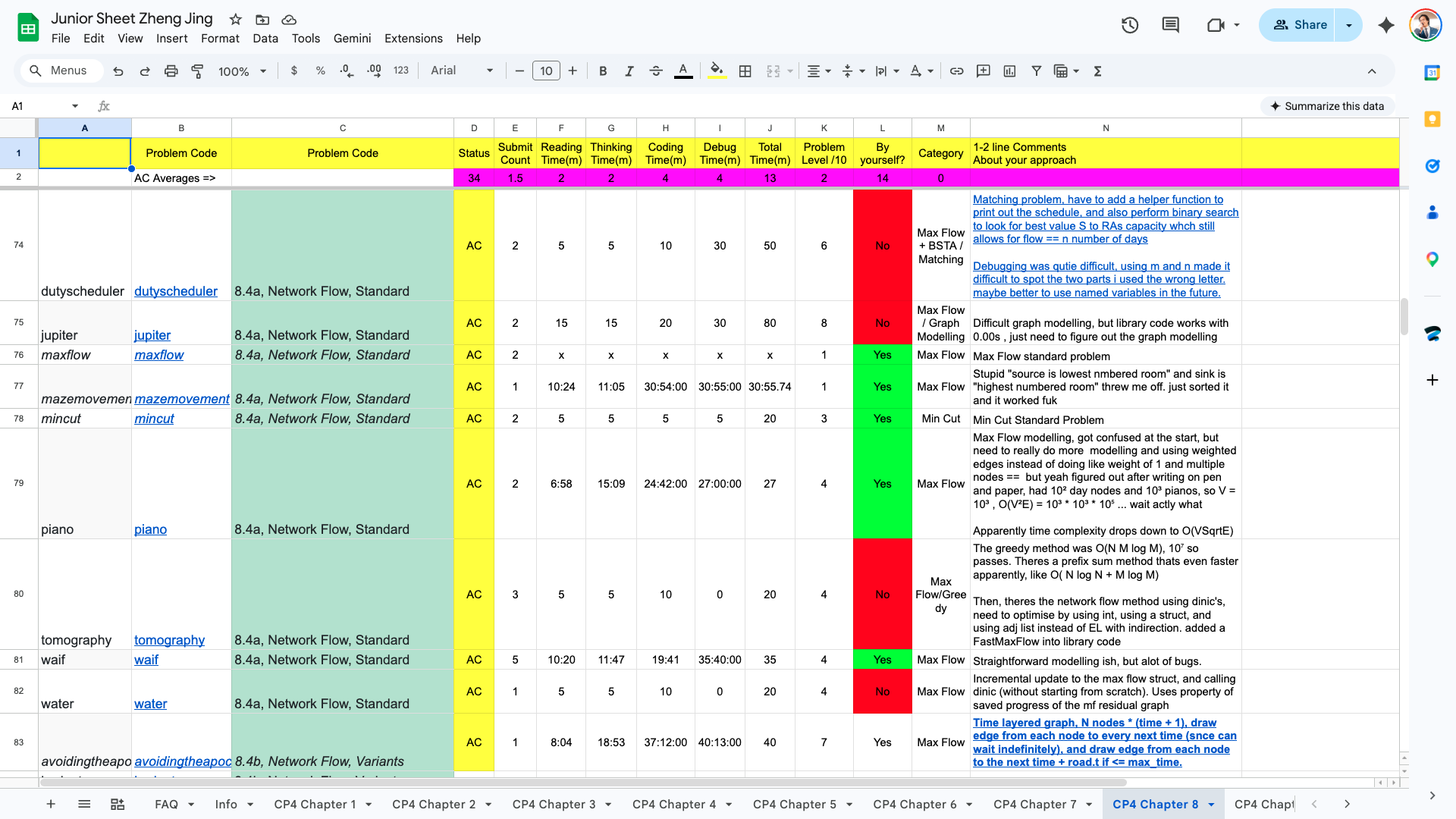
It was a copy of a cp resource called Junior Training Sheet. I added Steven Halim's methodstosolve questions into it and used it to track my time taken and comments for every question.
I'd code the solutions while recording the time taken with an app called Splittr, and update the sheet with my comments after I was done.
I thought that while it worked well enough in the note taking aspect, it wasn't very friendly in viewing. I decided could make a web app to visualize this better and for me to look through. Sounds simple enough, just a frontend to do this, with google sheets acting as the backend source of data.
Having learnt the basics using the Codex app, it was time to jump into my neovim setup.
I decided to use two agents at once: Codex for building the frontend, and Gemini CLI for the backend. An ambitious goal of getting double the work done! And it actually did get the job done! I was super happy with it. I understood why people were so excited when they got multiple agents to work on things.
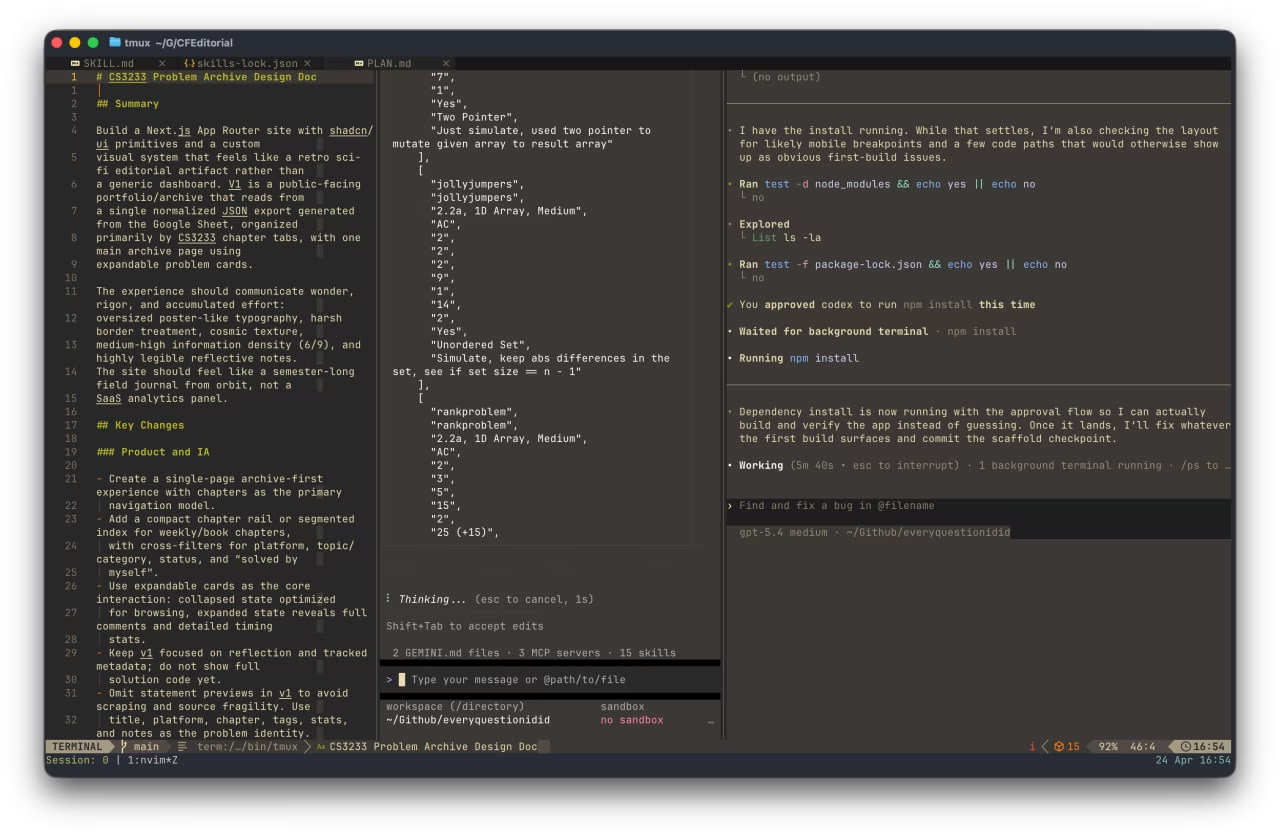
This was also around the time I got to explore skills and MCP servers, which you can see from the screenshot that I had some installed. A good segway to the next section, detailing the MCP servers and skills I installed :).
Skills and MCPs
I know they are distinct things, but from my experience they felt like the same thing, and some skills also get called mcp later on when I call them from a skill command in Gemini so ill just put them all in this section. Installing mcps were slightly more difficult than skills, but thats just because installing skills was way too easy. (you run 1 command and get the skills you want).
1. context7-mcp
This one I saw the most tool calling of, gemini and codex were both pretty religious in using this for some context when I asked it to use a specific package, or when asking it to help setup some of my neovim workflows.
2. stitch-mcp
This one probably deserves its whole section. I was really impressed by Google's Stitch, it got a really nice design on the first shot, which I spent a while iterating through before arriving at what is essentially the first iteration of everyquestionidid. Then, seeing that it had a mcp server, I got it running on all my coding clis.
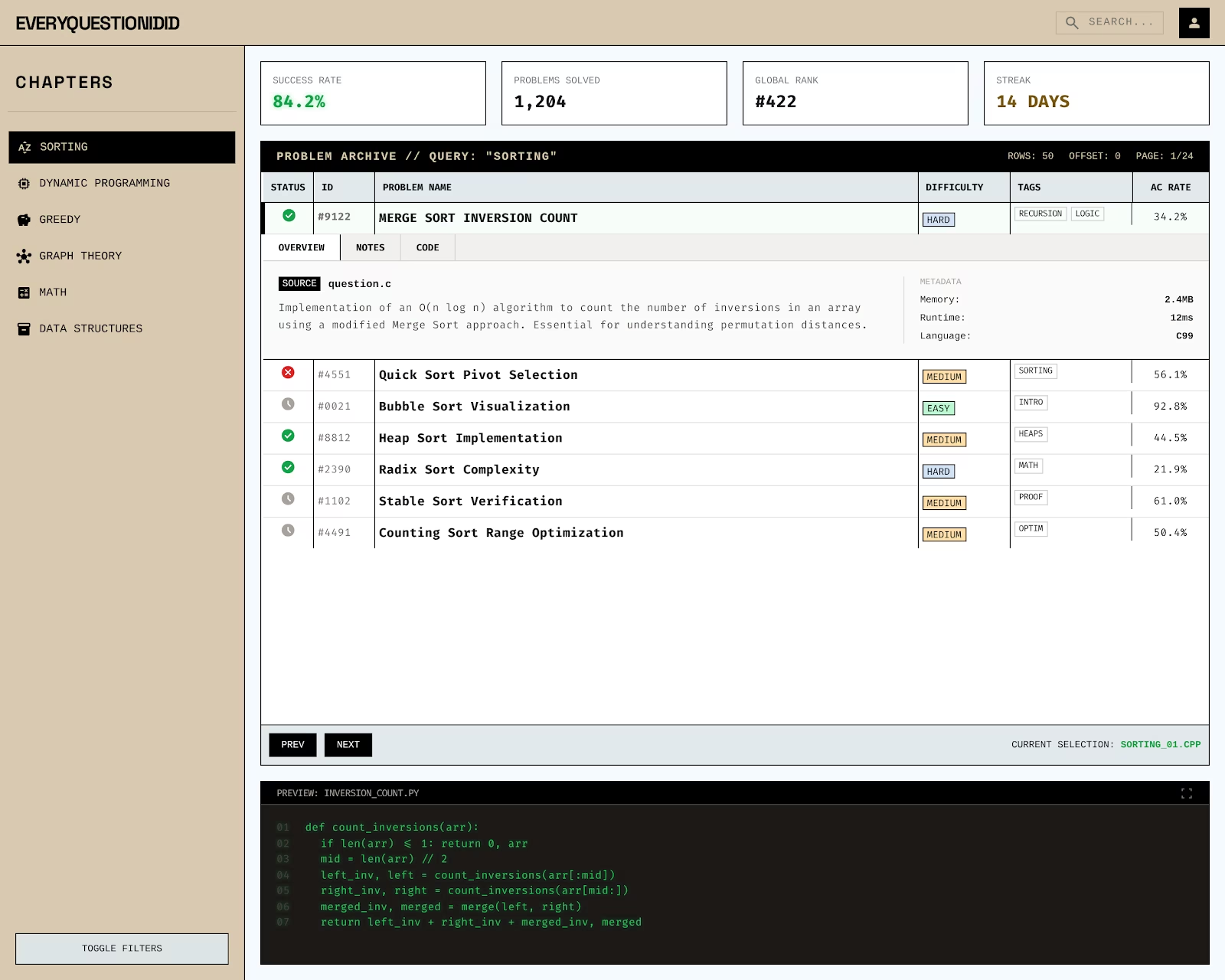
3. frontend-design
This one I saw that many people were praising so I installed it, I ended up liking how the frontend looked so yay, but I'm not sure how much to attribute to this skill
4. anti-generic-design-system-generator
This one was a skill I made by myself, I came across it on reddit as I was experimenting with things to create a frontend that didnt look like it was generated by AI. I took the prompt from Promppp and turned it into a skill. It gave me a really goofy design that unfortunately I did not save a screenshot of before scrapping it.
5. google-workspace
This one was a gemini cli exclusive, but I think its a really cool one as it had access to a google cloud apis and stuff. It got the google sheet data out without me having to setup the google sheet api, how crazy is that?
Link: googleworkspace
The app is done! But wait a minute...
So that was all the setup I was doing. Where was I? Right, the first iteration of the app.
After a whole night, I got what I intended.
The static app now did this:
- Fetch data from the Google Sheets API.
- Transform it into a local
problems.json. - Commit that JSON to the repo.
- Trigger a GitHub Action to rebuild the site.
The frontend that AI coded up looked good enough to me and to some others (i sent like two friends and they said it looked pretty good).
So I went to the gym the next day, satisfied with what I've built. But as I was on the treadmill, I got thinking. Actually, just for a mere 1 row update, I would trigger a CI/CD pipeline, fetch the from google sheets, generate some json artifacts and then.. rebuild my entire site? Really? that doesnt sound right...
A Note-Taking Problem
So I got to thinking, how do I make this faster? The first step was to eliminate the rebuild. I gotta keep a database of my work somehow. That way, we could just refetch the data when it gets updated. Then it hit me. At its core, this was a note-taking issue. Why was I using Google Sheets to track my problem-solving journey? Mostly out of habit because I'd cloned that junior sheet at the start of the semester.
But I already had an Obsidian note-taking system. And it looks pretty darn good, shoutout to this video i used, i pretty much just copied it to make obsidian look cool
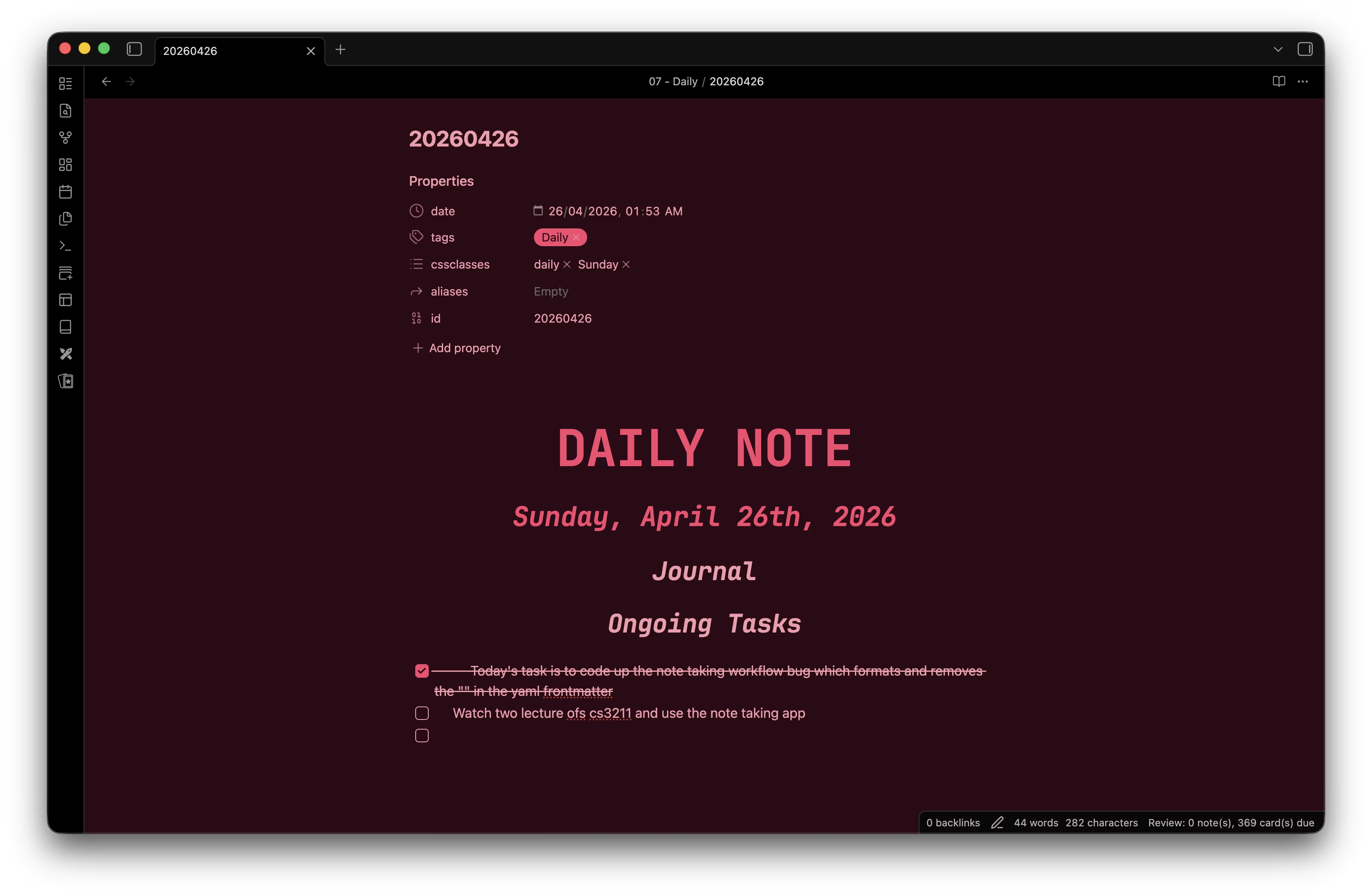
Then I realised: since I was already living in Neovim for my coding, i should totally set up Obsidian inside Neovim! I spent the whole recess week Saturday exploring and setting that up, and the integration felt pretty good. (i set up all the keymaps that i usually do with my obsidian app in neovim! honestly the only thing missing now is to move files fast, i could do that in obsidian app pretty quickly havent figured it out here)
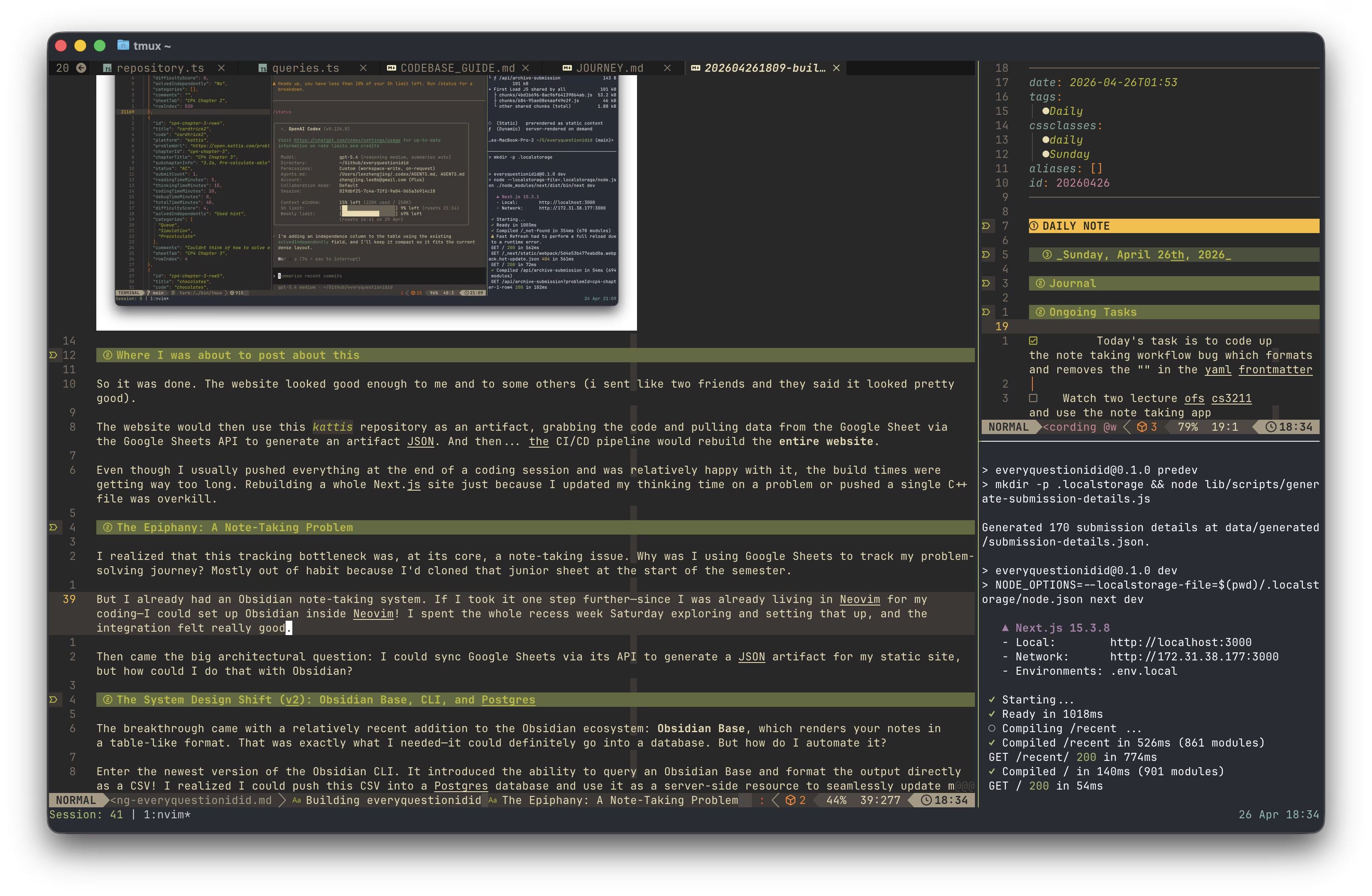
Then came the big architectural question: I could sync Google Sheets via its API to generate a JSON artifact for my static site, but how could I do that with Obsidian?
Obsidian Base, CLI, and Postgres
Introducing, a relatively recent addition to the Obsidian ecosystem: Obsidian Base, which renders your notes in a table-like format.
That was exactly what I needed. Now, it could definitely go into a database. But how do I automate it? I can right click and export as a csv, and that definitely can be pushed into a sql database.
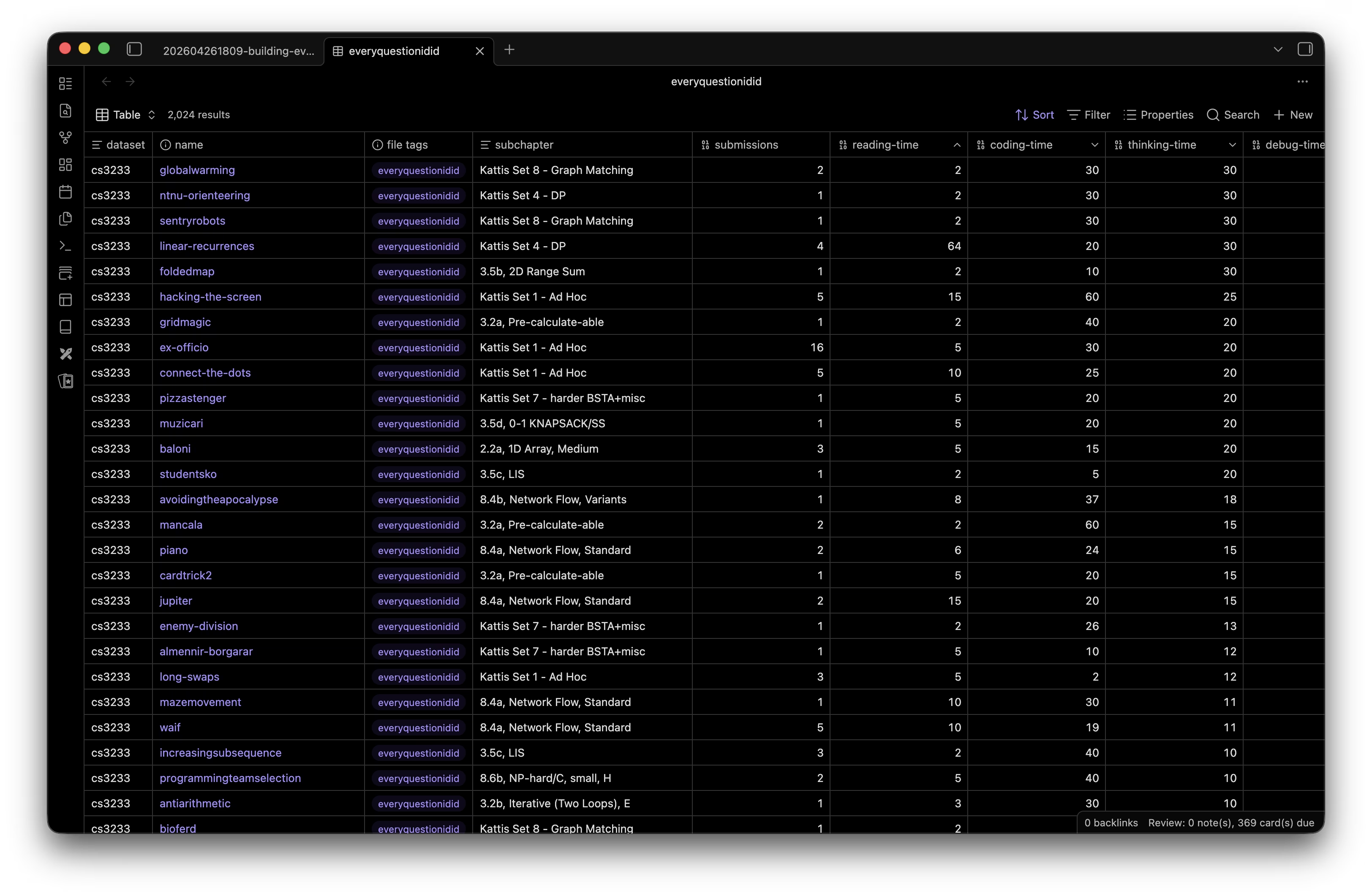
Enter: Obsidian CLI. Like any developer, I went to read the documentation, and close to the top of the list I immediately found what i needed: the base command!
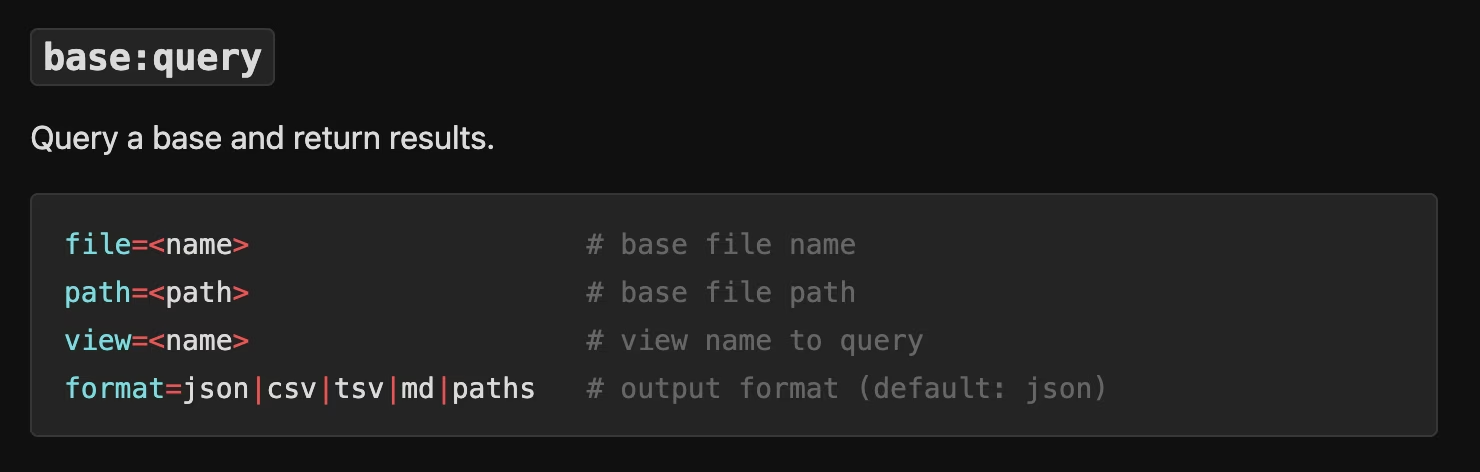
With this cli and commmand , I know for a fact, this workflow can definitely work. I could push the generated csv into a Postgres database and use it as a server-side resource to seamlessly update my website.
so now, instead of generating JSON artifacts powered by google sheets api and cicd actions, the app is now backed by a Neon Postgres database, queried using Drizzle ORM (improved type safety schema migrations would be alot easier now!)
Now, when I want to update my site, I just run a local sync script (npm run update:archive) that runs the Obsidian CLI command:
obsidian base:query path="everyquestionidid.base" format=csvIt parses the CSV, validates it with Zod, and upserts the data into Postgres. The script then hits a protected API endpoint (/api/revalidate/archive) on my Next.js server. This triggers Next.js's Incremental Static Regeneration (ISR) via revalidateTag().
The browser doesn't poll the database, and the site doesn't need to rebuild. The next person (usually me) who visits the site gets a freshly generated server-rendered page that hits the database and repopulates the cache instantly.
This decoupling means the GitHub Action now only has one job: syncing the kattis Git submodule to get the code for my latest submission!
The Sync Engine: Zod and Drizzle
To get data from Obsidian into Postgres, I built a local sync engine. It uses the Obsidian CLI to run a base query, exporting my vault data to CSV.
But CSVs are messy. To ensure the database stays clean, the sync script uses Zod for strict schema validation and Drizzle ORM for the heavy lifting.
// A snippet of the normalization logic in lib/import/obsidian-csv.ts
const parsed = rawObsidianCsvRowSchema.safeParse(record);

if (parsed.success) {
  const normalized = normalizeObsidianCsvRow(parsed.data, datasetSlug);
  // Upsert into Postgres via Drizzle
  await tx.insert(problemEntries).values({
    datasetId: dataset.id,
    sourceKey: row.sourceKey,
    title: row.title,
    // ...
  }).onConflictDoUpdate({ /* ... */ });
}
Zero-Latency Updates with Next.js ISR
The "magic" part of this workflow is the cache invalidation. I didn't want the website to poll the database on every request, but I did want instant updates.
After the sync script finishes pushing data to Neon, it hits a protected API endpoint on my Next.js server:
// app/api/revalidate/archive/route.ts
export async function POST(request: NextRequest) {
  // ... authentication check ...
  const { datasets } = await request.json();

  const tags = new Set<string>();
  datasets.forEach((dataset) => {
    getArchiveCacheTags(dataset).forEach((tag) => tags.add(tag));
  });

  // Trigger Next.js Incremental Static Regeneration
  tags.forEach((tag) => revalidateTag(tag));

  return NextResponse.json({ revalidated: true });
}
This allows me trigger a fresh server-side render that hits the database and repopulates the cache.
The Future: A Real Dashboard
Right now, the site only hosts the methodstosolve problem set and the kattis questions from cs3233. But the name is everyquestionidid, not cs3233questionsidid. Moving forward, I want to evolve this from a static archive into a full-fledged personal dashboard.
1. Beyond CS3233
The database schema is already prepped for multiple datasets. I want to start pulling in problems from Codeforces and Leetcode as well. The landing page will shift from a specific problem set to an aggregate view of my overall competitive programming stats.
2. Activity Heatmap
Not an activity page without a heatmap right? (which will probably be blank during my string of graduation trips HAHA).
3. Submission Tracking
Havent thought too much about this, but a way to track my actual submissions would be nice. I believe codeforces has an api, but for Kattis im not too sure...
Conclusion
Building this side project over reading week has been really fun, I got to setup a workflow that I enjoy a lot more now and also played around with all the coding clis out there. Matter of fact, this blog post was written in my obsidian, in my neovim, and uploaded to my personal blog straight from there!